 PRINTING FAST RIGHT PLACE

[cmsmasters_row data_shortcode_id=”m0l90thdr” data_padding_bottom_mobile_v=”0″ data_padding_top_mobile_v=”0″ data_padding_bottom_mobile_h=”0″ data_padding_top_mobile_h=”0″ data_padding_bottom_tablet=”0″ data_padding_top_tablet=”0″ data_padding_bottom_laptop=”0″ data_padding_top_laptop=”0″ data_padding_bottom_large=”0″ data_padding_top_large=”0″ data_padding_bottom=”50″ data_padding_top=”0″ data_bg_parallax_ratio=”0.5″ data_bg_size=”cover” data_bg_attachment=”scroll” data_bg_repeat=”no-repeat” data_bg_position=”top center” data_color=”default” data_bot_style=”default” data_top_style=”default” data_padding_right=”3″ data_padding_left=”3″ data_width=”boxed”][cmsmasters_column data_width=”1/1″ data_shortcode_id=”3qccv9ika” data_animation_delay=”0″ data_border_style=”default” data_bg_size=”cover” data_bg_attachment=”scroll” data_bg_repeat=”no-repeat” data_bg_position=”top center”][cmsmasters_text shortcode_id=”5ikxkjl3p” animation_delay=”0″]
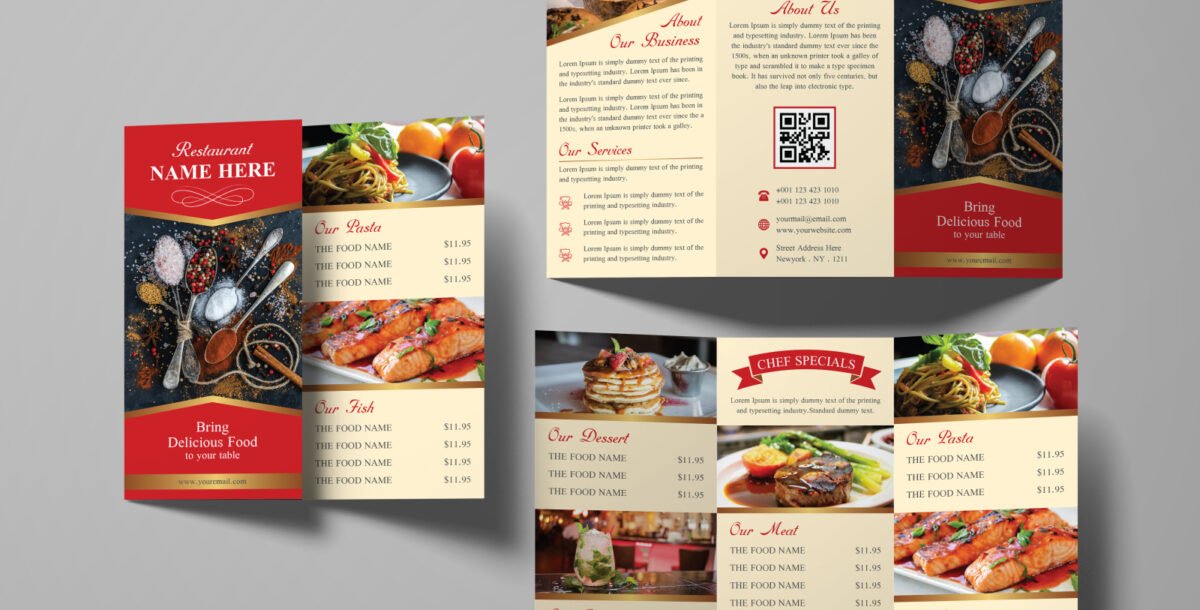
Involves several key steps, starting with design and ending with final printing. Here’s a detailed look at the Menu printing in Dubai process :
1. Menu Graphic Design
Determine the Content: First, gather all the information that will appear on the menu, including the names of the dishes, their descriptions, prices, and any categories (such as appetizers, main courses, desserts, drinks).
Choose a Visual Style: The menu design should reflect the identity of the restaurant or café. Is it a fine dining restaurant, a modern café, or a traditional restaurant? The colors, fonts, and images used should align with this identity.
Use High-Quality Images: Attractive images of dishes can increase customers’ appetite and encourage them to order. Make sure the images are professional and high-resolution.
Layout and Organization: The menu design should be easy to read and logically organized. Use sufficient white space to avoid visual clutter.
Proofreading: Ensure that names and descriptions are free of spelling and grammatical errors.
2. Choosing Printing Materials
Paper Type: There are a variety of paper options available, such as coated paper, uncoated paper, cardstock, and even more durable materials like plastic or waterproof paper, depending on the application.
Weight and Thickness: Paper weight (in grams per square meter (gsm)) affects the durability and texture of the menu. Heavier paper gives a sense of luxury and durability.
Finishes: Finishes can be added to improve appearance and durability, such as:
Glossy: Adds shine and makes colors appear more vibrant.
Matte: Gives an elegant, matte appearance.
Lamination: A protective layer that increases water and stain resistance, very common for menus.
Embossing/Debossing: Adds texture or a prominent design.
3. Printing Process
Choosing a Printing Press: Look for printing presses in Dubai with experience in printing menus. Many offer full design and printing services.
File Formatting: Ensure your design files are print-ready (usually in high-resolution PDF format), taking into account bleed margins and CMYK colors.
Printing Techniques:
Offset Printing: Suitable for large quantities, offering high quality and a lower cost per unit.
Digital Printing: Flexible for small quantities, fast, and allows for quick design changes.
Quantities: Specify the required number of menus. Printers typically offer better rates for larger quantities.
4. Finishing and Binding
Cutting: Menus are cut to the desired size.
Binding: Depending on the menu design, it can be bound in several ways:
Stapling: For small booklets.
Spiral/Coil Binding: Allows the menu to open flat.
Wire-O Binding: A professional appearance.
Ring Binders: For easily updateable menus.
Perfect Binding: For thick menus.
The most trusted and quality printing company, with excellent customer service. Best Quality Printing in Dubai
WhatsApp/Call us:
Arabic: 055 5771552
Arabic & English: 056 5071752 – (Send Query)
https://wa.me/message/ZCPEMGR67ZD6G1
English | Urdu | Hindi: 050 508 6855
For latest offers
Email: printingewan@gmail.com
Location: Shop 26 and 28, Al Nasiriya Building, 247 Damascus Street, Al Qusais Industrial Area 1, Dubai, UAE
#BusinessBay #JBR #Emarites_Mall
#TheDubaiMall #DubaiIndustrialCit
#DubaiMarina #BurjKhalifa
#PrintingDubai #DubaiPrintServices #CommercialPrintingDubai
#CustomPrintingDubai #PackagingPrintingDubai #DigitalPrintingDubai
#LargeFormatPrintingDubai
#Duabi #Sharjah #Ajman
[/cmsmasters_text][cmsmasters_gallery shortcode_id="9gxkjzdq9" layout="hover" hover_pause="5" animation_delay="0"]14297|https://ewan.start-appz.com/deeshapi/2021/10/14flyers_printing_dubai-150×150.jpg,14296|https://ewanprinting.com/deeshapi/2021/10/4-150×150.jpg,14299|https://ewanprinting.com/deeshapi/2021/10/1544-150×150.jpg,13825|https://ewanprinting.com/deeshapi/2021/08/Ewan-Company-Profile-EN-6-scaled-e1629554091929-150×150.jpg[/cmsmasters_gallery][/cmsmasters_column][/cmsmasters_row]